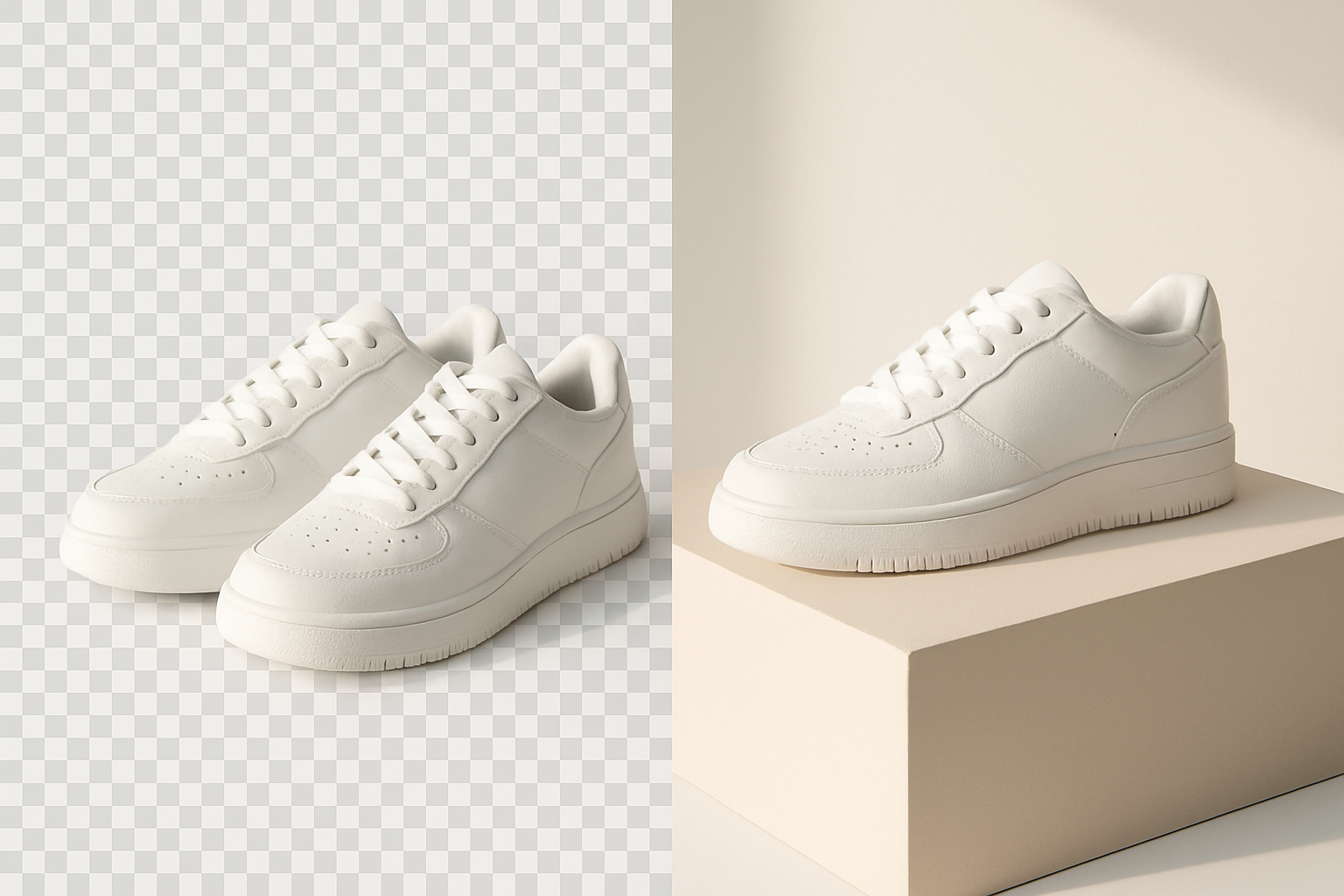
To remove product photo background Shopify stores need at scale, use an AI tool that runs a segmentation model (like BiRefNet or RMBG) across your entire product catalog, outputs transparent PNGs, and pushes them back to the correct product via the Shopify Admin API. Manual Photoshop work breaks down past 50 SKUs — automation is the only sane path for catalogs of 500, 5,000, or 50,000 products.
This guide covers why cluttered backgrounds quietly kill conversion rates, the technical difference between mask-based cut-outs and full AI re-generation, and the exact workflow to clean an entire Shopify catalog without touching a single image manually.
Why product photo backgrounds matter for Shopify conversion
Clean, consistent backgrounds lift Shopify conversion rates by 10-30% in most A/B tests because shoppers process products faster, trust the store more, and compare items side-by-side without visual noise. Cluttered or mismatched backgrounds signal "small operation" and make collection pages feel chaotic, even when individual products are excellent.
Three specific things go wrong when product photos aren't normalized:
- Collection pages look messy. A grid of 24 products with 24 different backgrounds reads as visual chaos. The eye can't lock onto any single item.
- Mobile thumbnails lose detail. At 300px wide, a busy background eats the product. Transparent or pure-white backgrounds keep the silhouette readable.
- Ad platforms reject or downrank inconsistent creative. Meta and Google Shopping favor clean product feeds. Pure-white or transparent backgrounds are practically required for Shopping ads.
The conversion math behind clean photos
If your Shopify store does $40,000/month at a 1.8% conversion rate, lifting that to 2.2% through photo consistency adds roughly $8,900/month. Background cleanup is one of the cheapest ROI plays available — usually under $0.02 per image with modern tools, versus $3-8 per image with a freelance retoucher on Upwork.
White background vs transparent PNG: which to use
Use transparent PNGs as your master files. They display correctly on any Shopify theme background (white, beige, dark mode) and let you composite the product onto colored scenes for ads later. If your theme uses a non-white background, transparent is the only option that won't show a white halo around every product.
Mask cut-outs vs AI re-generation: which method to choose
Mask cut-outs (using models like BiRefNet, RMBG-2.0, or SAM) preserve the original product pixels exactly and only delete the background — the safe, factual choice for 95% of e-commerce use cases. AI re-generation, by contrast, repaints the product into a new scene using diffusion models, which is creative but risks altering colors, textures, or shapes in ways that misrepresent the item.
When mask cut-outs are the right call
Pick mask-based background removal whenever the product's appearance must stay 100% accurate. That covers nearly all retail categories:
- Apparel and accessories (color accuracy matters for returns)
- Electronics, hardware, and tools
- Cosmetics and supplements (regulatory accuracy)
- Jewelry and watches (subtle detail loss is unacceptable)
- Anything you're selling on Google Shopping or Meta catalog ads
BiRefNet, released in 2024, is the current state-of-the-art for fine edges — hair, fur, lace, mesh, transparent glass. It handles edge cases that older tools (remove.bg, ClippingMagic from 2018-era models) used to require manual touch-up for.
When AI scene generation makes sense
AI re-generation works well for lifestyle marketing imagery — placing a candle on a "cozy autumn shelf," or a skincare bottle on a "marble bathroom counter." Use it for ads, social, and homepage hero banners, but keep the clean cut-out version as your primary product image on the PDP. Shoppers want to see the product, not an artistic interpretation of it.
How to bulk remove backgrounds across a Shopify catalog
To bulk remove product photo background Shopify stores need to follow a five-step pipeline: pull images via the Admin API, run each through a segmentation model, output transparent PNGs at the right resolution, re-upload as new product images, and optionally archive originals. Doing this for 1,000+ products manually takes weeks; automated, it takes 30-90 minutes of compute.
Here's the step-by-step workflow:
- Audit your catalog. Export your product list from Shopify Admin and tag which products need cleanup. Often only 60-70% of images need work — newer products may already be clean.
- Pick a target spec. Decide on dimensions (2048x2048 is a safe Shopify default), format (PNG for transparency, JPG with white fill as fallback), and naming convention (e.g.,
sku-01-transparent.png). - Run segmentation in batches. Whether you use Revenza, a Python script with BiRefNet, or a dedicated API, process 100-500 images per batch so you can spot-check quality before committing.
- QA a 5% sample. Eyeball edges on items with fine detail — hair, fur, mesh, glass, white-on-white. If those pass, the rest of the catalog will too.
- Push back to Shopify. Upload the new images via the Admin API, set the cleaned version as the primary image, and either delete or archive the originals.
Picking the right resolution and file size
Shopify supports images up to 4472x4472px and 20MB, but uploading max-res files slows your store. Aim for 2048x2048 PNGs at 70-80% compression — that's enough for Shopify's built-in zoom while keeping individual files under 800KB. For collection thumbnails, Shopify auto-generates the smaller sizes from your master file.
Handling product variants and multiple angles
Most products have 3-8 images (front, back, detail, lifestyle, variant colors). Run all of them through the same pipeline, but flag lifestyle shots — you may want to keep some lifestyle context rather than cut to transparent. A clean rule: cut backgrounds on every angle of the product itself, keep one or two lifestyle scenes intact.
Automating the full pipeline with Revenza
Revenza connects to your Shopify store, reads every product image, runs background removal using BiRefNet or comparable models, and writes the transparent PNGs back as new product images — all without you opening Photoshop or downloading a single file. The whole catalog gets normalized in one job, and you can preview results before committing.
The same workflow handles bulk description rewrites, SEO meta fields, and alt text — which is why most stores end up using one tool for the entire content layer instead of duct-taping five SaaS subscriptions together. If image cleanup is just one piece of a bigger catalog overhaul, the best Shopify bulk product editor approach is usually faster than running separate tools per task.
What a typical bulk job looks like
For a 1,200-product Shopify store with an average of 4 images per product (4,800 total images):
- Total compute time: roughly 40-60 minutes
- Cost per image: $0.01-$0.03 depending on resolution
- Manual review time: 15-20 minutes for a 5% spot-check
- Re-upload to Shopify: handled via API in the background, no clicking
Compare that to outsourcing the same job to a retoucher at $2/image — $9,600 and 3-4 weeks of turnaround. The unit economics aren't close anymore.
Common mistakes when removing backgrounds in bulk
The most expensive mistakes when you remove product photo background Shopify-wide are: overwriting your original images, using JPG instead of PNG for the master files, and skipping QA on tricky categories like jewelry or glass. Each of these is recoverable, but each costs hours to fix retroactively across thousands of products.
Things to watch for:
- Don't delete originals immediately. Keep them archived for at least 30 days. If a model misreads a translucent product, you'll want the source file.
- Watch for color shifts. Aggressive matting can pull a pixel of background color into the product edge. Compare a few "before" and "after" zoom crops side-by-side.
- White on white kills weak models. A white shirt on a white background is the hardest case. Test these first; if they pass, everything else will.
- Shadow handling matters. Decide whether to keep a soft contact shadow or strip everything. Shadows make products feel grounded; pure cut-outs feel floaty.
- Alt text doesn't auto-update. If you're rewriting images, refresh alt text in the same pass. See How to Write Shopify Product Descriptions at Scale (2026) for the parallel workflow.
Where this fits in a broader Shopify content overhaul
Background removal is usually one piece of a larger cleanup — fresh photos deserve fresh descriptions, fresh meta titles, and consistent alt text. Stores that tackle all four layers at once see compounding gains: better photos lift CTR from ad to PDP, better copy lifts add-to-cart, and better SEO lifts organic sessions, each multiplying the others.
If you're rebuilding the content layer, two companion reads are worth the time: Best AI Tools for Shopify Stores in 2026 for the broader tooling landscape, and AI Product Descriptions That Don't Make Things Up for the copy side — especially relevant because the same hallucination risk that affects descriptions also affects AI-generated product imagery.
Frequently asked questions
Does Shopify have a built-in background remover?
Shopify added a basic background removal tool inside the Admin image editor in 2023, but it's one image at a time and doesn't support bulk operations. For a catalog of more than 20-30 products, you'll need an external tool that talks to the Admin API.
Will background removal hurt my image SEO?
No — as long as you preserve filenames and alt text. Google reads alt text and surrounding page content, not the background of the image itself. Cleaner images often improve Core Web Vitals (smaller file sizes load faster), which is a ranking factor.
Can I keep shadows when I remove the background?
Yes. Modern segmentation models can output the product with a preserved soft shadow, or with the shadow stripped to fully transparent. Most stores want the shadow kept on lifestyle/marketing shots and removed on PDP primary images for maximum theme flexibility.
What about products with reflective or transparent surfaces?
Glass bottles, jewelry, and mirrored surfaces are the hardest category. BiRefNet handles them better than older tools, but always QA these manually. Budget for 10-15% of transparent-product images needing a touch-up versus 1-2% for opaque products.
How much does bulk background removal cost?
Self-serve AI tools run $0.01-$0.05 per image. Revenza bundles it into a flat monthly plan along with description rewrites and SEO fields, which usually works out cheaper than per-image APIs once you're past 500 images/month.
Cleaning your catalog without the manual grind
Background removal used to be a freelancer-and-Photoshop problem. With segmentation models like BiRefNet and an API connection back to Shopify, it's now a one-click batch job — and the same pipeline can clean your descriptions, alt text, and meta titles in the same pass. If your photos look inconsistent across collection pages, or you've been putting off a catalog cleanup because the manual cost felt impossible, that's exactly the workflow Revenza is built for. Try Revenza free and run a test batch on 20 products before committing to your full catalog — the before-and-after usually makes the decision easy.
===CONTENT===